
Troubleshooting MySQL "Too Many Connections" Errors on Shared VPS Servers
Introduction
If your website suddenly stops working and shows an error like “Too many connections,” don’t panic. This is one of the most common server issues, especially for growing websites on shared VPS environments. Understanding MySQL too many connections is important because it directly affects whether your website stays online or crashes under traffic load.
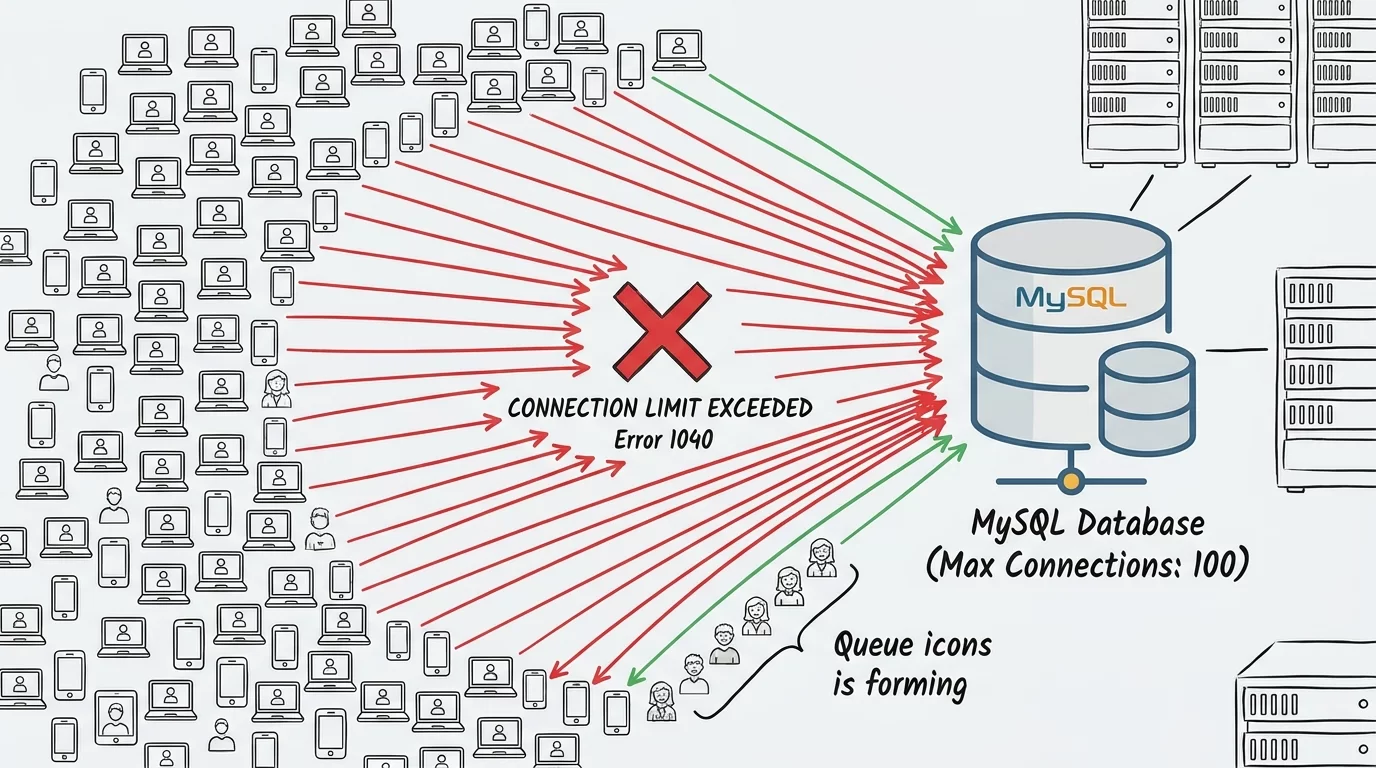
This issue usually happens when MySQL reaches its maximum allowed number of active connections. When too many users, scripts, or background processes try to connect to the database at the same time, the server simply refuses new connections.
In this guide, you’ll learn how to properly troubleshoot MySQL too many connections shared VPS problems in a simple, practical way. We will break down the real causes, show you how to identify the issue, and give step-by-step fixes that actually work in real server environments.
We will also explore optimization techniques, VPS tuning, common mistakes developers make, and advanced strategies used in production servers. Even if you are not a server expert, this guide is written in a simple, easy-to-understand way so you can fix the issue yourself.
Let’s start and bring your server back to life.
Understanding the MySQL "Too Many Connections" Error
What does the error mean?
MySQL has a limit on how many users or applications can connect at the same time. This limit is controlled by a system variable called:
max_connectionsWhen this limit is reached, MySQL rejects new connections and shows:
Too many connectionsThis means your database is overloaded.
Why MySQL limits connections
The reason is simple:
- Protect server memory
- Prevent crashes
- Maintain performance stability
Without limits, a single bad script could overload the entire VPS.
Where this problem usually happens
You will mostly see this error in:
- Shared VPS hosting
- High traffic WordPress sites
- Poorly optimized APIs
- Ecommerce websites
- Bots or cron jobs running too often
Understanding this helps you fix the root cause, not just the error.
Main Causes of MySQL Too Many Connections
1. High traffic spike
When many users visit your site at once, each request may open a database connection.
Example:
- 1000 users = 1000 connections
- Server limit = 200 connections
Result → crash
2. Slow queries not closing properly
If queries take too long:
- Connections stay open
- New requests wait
- Limit gets hit quickly
3. Poor application design
Bad code practices like:
- Not closing connections
- Opening multiple connections per request
- Infinite loops calling DB
4. Background processes and cron jobs
Too many scheduled tasks can overload MySQL:
- Backup scripts
- Email systems
- Crawlers
5. Shared VPS resource limitation
On shared VPS:
- CPU is limited
- RAM is shared
- MySQL is not isolated
So small issues escalate quickly.
Step-by-Step Guide to Fix MySQL Too Many Connections
Step 1: Check active connections
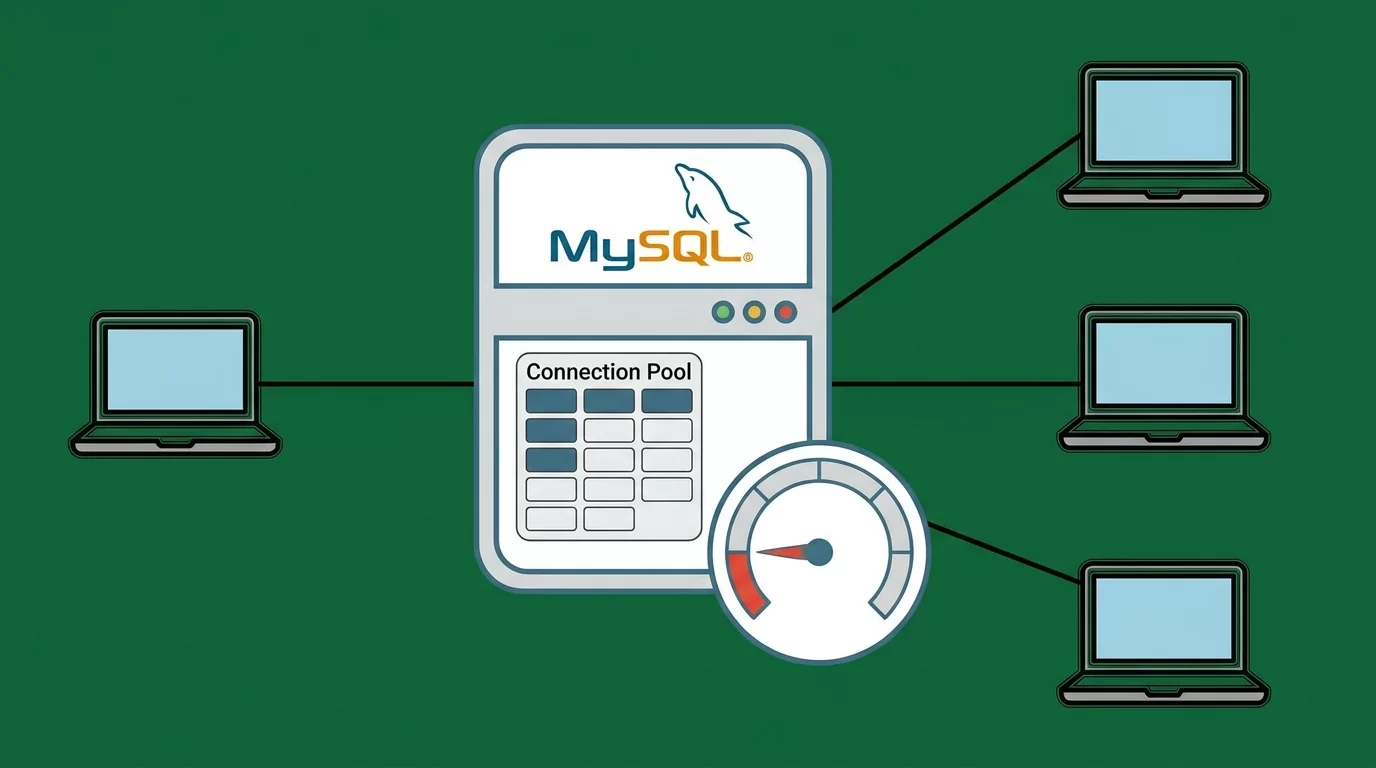
Login to MySQL:
mysql -u root -pRun:
SHOW PROCESSLIST;This shows all active connections.
Look for:
- Sleep connections
- Long-running queries
Step 2: Kill unnecessary connections
You can terminate stuck connections:
KILL process_id;Or bulk cleanup:
mysqladmin processlistThis frees memory instantly.
Step 3: Increase max_connections
Check current limit:
SHOW VARIABLES LIKE 'max_connections';Increase it temporarily:
SET GLOBAL max_connections = 300;For permanent change, edit:
/etc/mysql/my.cnfAdd:
max_connections = 300Then restart MySQL:
systemctl restart mysqlStep 4: Optimize slow queries
Enable slow query log:
SET GLOBAL slow_query_log = 'ON';Find heavy queries and optimize them using:
- Indexing
- Query restructuring
- Caching
Step 5: Enable persistent connection control
Avoid too many open connections in PHP:
Bad practice:
$conn = new mysqli(...);Better approach:
- Use connection pooling
- Close connection after use
$conn->close();Optimizing VPS for Better MySQL Performance
Increase RAM allocation
MySQL uses memory for:
- Buffer pools
- Query caching
- Connection handling
Low RAM = frequent crashes
Tune MySQL settings
Important settings:
innodb_buffer_pool_size = 1G
thread_cache_size = 50
table_open_cache = 2000
These improve connection handling.
Enable caching systems
Use:
- Redis
- Memcached
This reduces direct database load.
Use PHP OPcache
Reduces repeated script execution → fewer DB hits.
Pro Tips for Handling MySQL Connection Issues
If you want your server to stay stable, follow these real-world tips:
- Always monitor active connections daily
- Set alerts when usage goes above 70%
- Use connection pooling in backend apps
- Avoid heavy queries inside loops
- Use pagination instead of loading all data
- Cache frequently used queries
- Upgrade VPS before reaching limit
A good rule:
👉 If connections exceed 70% regularly, upgrade your server before crash happens.
Small improvements in code and structure can reduce MySQL load by 50–80%.
Common Mistakes to Avoid
Many developers repeat these mistakes:
1. Increasing max_connections blindly
This only hides the problem, not fix it.
2. Ignoring slow queries
Slow queries are the biggest reason for connection buildup.
3. Not closing connections
Open connections stay in memory and block new ones.
4. Running heavy cron jobs during peak traffic
This doubles server load.
5. Using VPS like shared hosting
VPS needs optimization; it is not plug-and-play.
Avoiding these mistakes can drastically improve stability.
Advanced Strategy for Long-Term Stability
To properly fix MySQL too many connections, you need long-term planning, not quick fixes.
1. Connection pooling system
Instead of opening new connections every time:
- Reuse existing connections
- Reduce overhead
- Improve performance
2. Load balancing database requests
Split traffic:
- Primary DB → writes
- Secondary DB → reads
This reduces pressure.
3. Micro-caching layer
Add caching between app and database:
- Redis cache for sessions
- Query caching for repeated requests
4. Horizontal scaling
If traffic grows:
- Add new database server
- Split services
- Use replication
5. Monitoring system
Use tools like:
- MySQL Workbench
- Netdata
- Prometheus + Grafana
This helps you detect issues before crash happens.
Frequently Asked Questions
Why does MySQL show too many connections error?
This happens when the number of active database connections exceeds the limit set by MySQL. Each user request, script, or background job uses a connection. When too many processes run at the same time, the server cannot accept new connections, resulting in this error. It is often caused by high traffic, slow queries, or poor server optimization.
How do I fix MySQL too many connections quickly?
You can fix it by checking active connections using SHOW PROCESSLIST, killing unnecessary processes, and increasing max_connections. Restarting MySQL may also help temporarily. However, the real solution is optimizing queries, closing unused connections, and improving server performance to avoid recurrence.
Is increasing max_connections a good solution?
Increasing max_connections can help temporarily, but it is not a permanent fix. If your application is poorly optimized, increasing the limit will only delay the crash. You should always fix slow queries, reduce unnecessary connections, and implement caching to solve the root problem.
Can VPS upgrades solve this problem?
Yes, upgrading VPS resources like RAM and CPU can significantly reduce connection errors. However, upgrading alone is not enough. You still need to optimize database queries and application logic. Otherwise, even a powerful server can face the same issue under heavy load.
How can I monitor MySQL connections in real time?
You can use commands like SHOW PROCESSLIST or tools like Netdata and Grafana. These tools help you see active connections, query performance, and server load in real time. Monitoring helps you detect issues early before they become critical.
Also Read