
If you want to create Gmail account for personal, business, or academic use, this guide will walk you through everything step-by-step. Whether you’re a beginner, student, or business owner, setting up a Gmail account properly is essential for accessing Google services like YouTube, Google Drive, and even creating a Play Store account.
This article is designed to be more comprehensive than typical tutorials. It includes expert tips, common mistakes, security advice, FAQs, and structured SEO insights to help you fully understand the Gmail signup process.
Why Creating a Gmail Account Is Important
A Gmail account is more than just an email address. When you complete your gmail signup, you automatically gain access to:
-
Google Drive (cloud storage)
-
YouTube
-
Google Docs & Sheets
-
Google Meet
-
Google Calendar
-
Google Play Store account (for Android apps)
-
Google Ads & Google Business tools
For business owners, Gmail builds credibility. For students, it connects you to educational tools. For beginners, it’s your digital identity.
Step-by-Step Guide to Create Gmail Account
H2: Method 1 – Create Gmail Account on Mobile (Android)

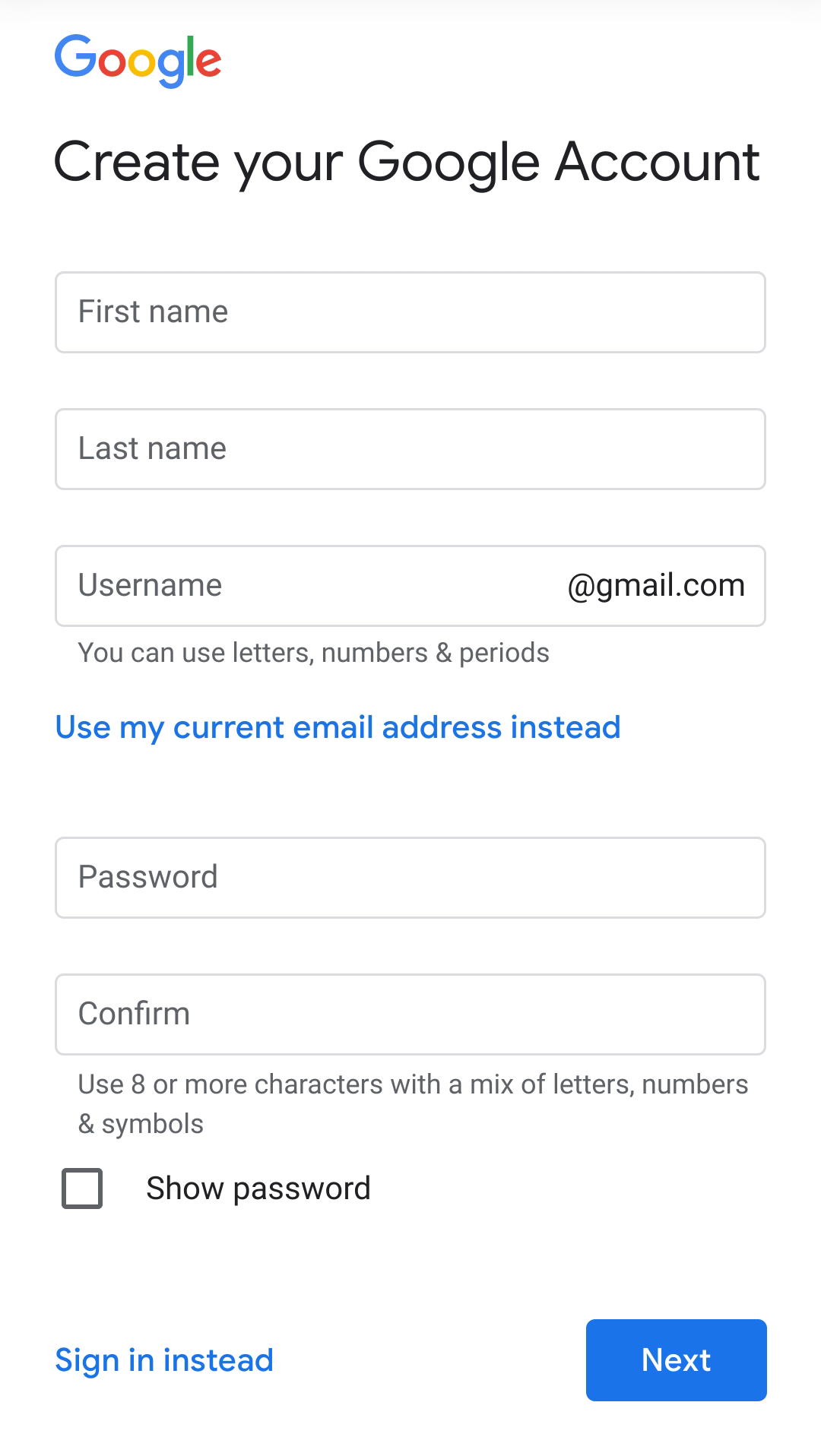
Step 1: Open Gmail App or Settings
-
Open the Gmail app
-
Or go to Settings → Accounts → Add Account → Google
Step 2: Tap “Create Account”
-
Choose:
-
For myself
-
For my child
-
For business
-
Step 3: Enter Personal Details
-
First Name
-
Last Name
-
Date of Birth
-
Gender
Step 4: Choose Your Gmail Address
Example: yourname@gmail.com
If unavailable, Google will suggest variations.
Step 5: Create a Strong Password
Use:
-
8+ characters
-
Mix of uppercase, lowercase
-
Numbers and symbols
Step 6: Phone Verification
Enter your mobile number and verify via SMS.
Step 7: Recovery Email (Optional but Recommended)
This protects your account if you forget your password.
Step 8: Accept Google Terms & Conditions
Done. Your Gmail account is ready.
H2: Method 2 – Create Gmail Account on Laptop/Desktop

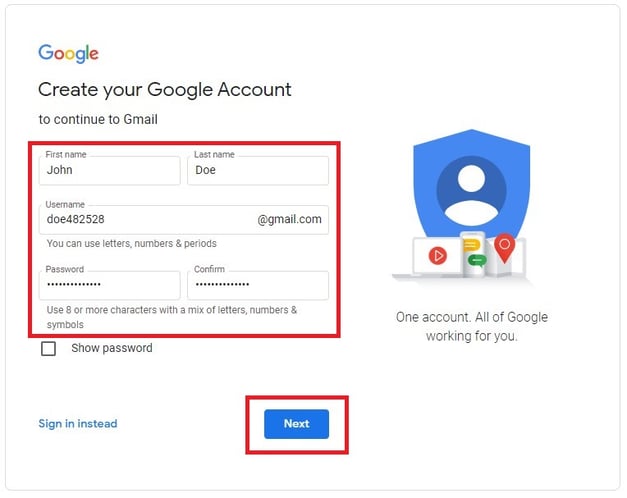
Step 1:
Visit: https://accounts.google.com/signup
Step 2:
Fill in:
-
Name
-
Username
-
Password
Step 3:
Add recovery phone & email
Step 4:
Verify phone number
Step 5:
Agree to Privacy & Terms
Now your Gmail is active.
How to Create Play Store Account Using Gmail
To create a Play Store account, you must first complete your Gmail signup.
Steps:
-
Open Google Play Store
-
Sign in with your Gmail
-
Accept terms
-
Add payment method (optional)
That’s it. Your Gmail automatically becomes your Play Store account.
How to Create Gmail Account for Business
If you’re a business owner:
Option 1: Free Gmail (example@gmail.com)
Option 2: Professional email (yourname@yourcompany.com) via Google Workspace
Business benefits:
-
Professional branding
-
Custom domain email
-
Admin control
-
Increased trust
Common Mistakes People Make During Gmail Signup
-
Using weak passwords
-
Skipping phone verification
-
Entering incorrect date of birth
-
Forgetting recovery email
-
Creating too many accounts from one device
Avoid these to prevent account suspension.
Expert Tips to Secure Your Gmail Account
Enable 2-Step Verification
Adds extra security layer.
Use a Password Manager
Prevents password reuse.
Avoid Public WiFi for Signup
Public networks can expose sensitive data.
Keep Recovery Details Updated
Essential if you forget login credentials.
Real-World Use Cases of Gmail
-
Students submit assignments via Google Docs.
-
Business owners manage Google Ads.
-
Developers use Gmail for Play Store publishing.
-
Freelancers connect with clients globally.
Your Gmail becomes your digital passport.
EEAT & Trust-Building Explanation
Google accounts are managed by Google, one of the world’s largest technology companies. Their authentication system uses:
-
Secure encryption
-
AI fraud detection
-
Account recovery systems
For privacy policies and official support, refer to:
-
Google Support
-
Google Workspace Documentation
-
National Cyber Security Centre password guidance
Frequently Asked Questions (FAQ)
1. Is Gmail free?
Yes, creating a Gmail account is completely free.
2. Can I create Gmail account without phone number?
Sometimes yes, but Google may require verification for security.
3. How many Gmail accounts can I create?
There’s no official limit, but excessive creation may trigger security checks.
4. Is Gmail and Google Account same?
Yes, Gmail is part of your Google account.
5. Can I use Gmail for business?
Yes. For professional use, Google Workspace is recommended.
6. How do I recover forgotten Gmail password?
Use “Forgot Password” option and follow verification steps.
7. Why is my Gmail username unavailable?
Because it’s already taken.
8. Can I delete my Gmail later?
Yes, from Google Account settings.
9. Is Gmail secure?
Yes, if you enable 2-step verification.
10. Do I need Gmail for Play Store account?
Yes, Gmail is required for Play Store access.